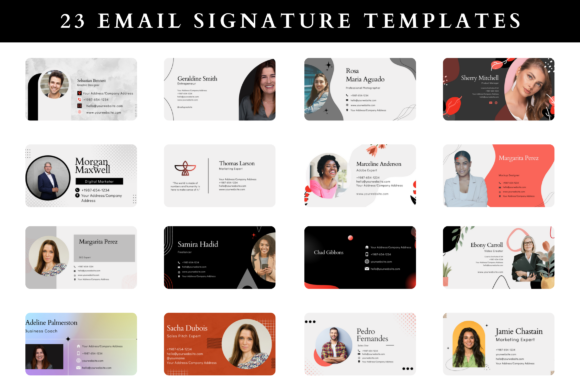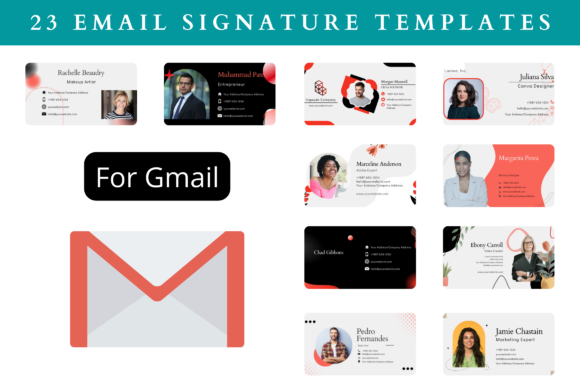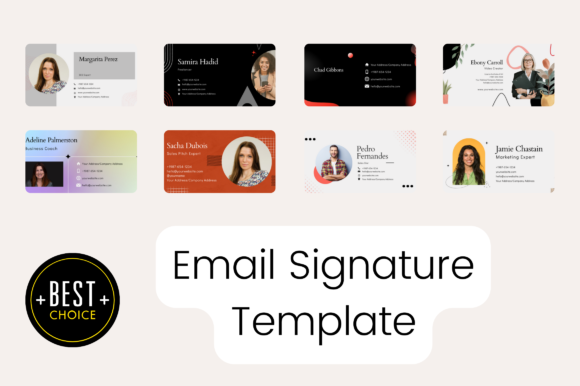
Email Signature Templates That Elevate Your Professional Image
Whether you're a small business owner, a freelancer, or part of a corporate team, your email signature is more than just a closing. It's a powerful tool for building brand recognition and making a lasting impression. Using the right email signature templates can transform how you present yourself online, helping you stand out in a crowded inbox.
With so many options available, finding the perfect template can feel overwhelming. But with the right approach, you can quickly find a design that matches your style and needs. From simple layouts to complex, multi-element designs, there's a template for every profession and purpose.
Why Email Signatures Matter in Today's Digital World
In a world where most communication happens via email, your signature serves as a digital business card. It's often the first thing someone sees after reading your message, and it can influence their perception of you and your brand. A well-designed signature can reinforce your professionalism, make your contact information easy to find, and even include links to your website, social media, or portfolio.
Consider this: when a client receives an email from you, they might not remember the content of the message, but they will likely recall your signature. That’s why investing time in creating a strong, consistent email signature is crucial. It's a small detail that can have a big impact on how you're perceived professionally.
How Different Professions Can Benefit From Custom Templates
Every industry has its own standards and expectations when it comes to professional communication. For example, a lawyer might need a clean, formal signature that includes their law firm's logo and contact details, while a graphic designer might prefer a more creative layout that showcases their work and personal brand.
Freelancers and consultants often use email signatures to promote their services, include links to their websites, and provide quick access to their social profiles. Entrepreneurs and small business owners can use templates to build consistency across all their communications, reinforcing their brand identity with every email sent.
Even within the same profession, different individuals may have unique needs. Some might want a minimalist design, while others prefer something bold and eye-catching. The key is to choose a template that aligns with your personal brand and the image you want to project.
What Makes Premium Email Signature Templates Stand Out
Premium email signature templates offer more than just aesthetics—they come with features that make them practical and versatile. These templates are designed with flexibility in mind, allowing users to easily customize elements like colors, fonts, and images without needing advanced design skills.
One of the biggest advantages of premium templates is that they’re often editable in Canva, a user-friendly design platform. This means you don’t need to be a graphic designer to create a polished, professional-looking signature. With just a few clicks, you can adjust the layout, add your logo, and ensure everything looks cohesive and consistent.
Many premium templates also include detailed instructions, sample signatures, and multiple design options. This makes it easier for users to get started and ensures that even those new to design can create a signature that meets their needs.
Real-World Scenarios Where Email Signatures Make a Difference
Imagine you're a real estate agent sending out a proposal to a potential client. Your email signature could include your name, phone number, office address, and a link to your website. It could also feature a high-quality photo of your office or a recent listing. This small addition can help build trust and make your communication more credible.
For a marketing consultant, an email signature might include links to their LinkedIn profile, a portfolio, and a call-to-action such as "Schedule a Free Consultation." This not only provides useful information but also encourages recipients to take the next step in engaging with the sender.
Even in more traditional industries, like healthcare or education, a well-designed email signature can enhance professionalism. A doctor might include their title, hospital affiliation, and contact details, while a teacher might add their school logo and a brief bio.
Key Considerations Before Choosing an Email Signature Template
Before selecting a template, it's important to think about your specific needs. Are you looking for something simple and straightforward, or do you want a more elaborate design? How much customization do you need? Will the template work across different email clients and devices?
Another consideration is the size and format of the template. Most email signature templates are designed to fit standard email clients, but it's always a good idea to test them on different platforms to ensure they display correctly. Many templates are also scalable, so you can resize them as needed without losing quality.
Finally, consider the file formats included. Some templates come in multiple formats—such as PNG, SVG, JPG, and PDF—making them easier to use in different contexts. This flexibility can be especially helpful if you need to print your signature or share it on social media.
Easy Customization for Everyone
The beauty of modern email signature templates is that they’re designed to be user-friendly. Whether you're tech-savvy or completely new to design, you should be able to customize your signature with ease. Most premium templates allow you to change colors, fonts, and images, giving you full control over the final look.
Many templates also include placeholders for your name, title, company, and contact information. This makes it simple to update your signature whenever your details change. Plus, since these templates are often built using Canva, you can access them from any device with an internet connection, making it easy to work on your signature from anywhere.
Time is one of the most valuable resources, and using pre-built templates saves you from the hassle of designing from scratch. Instead of spending hours on a custom design, you can focus on what really matters—your work and your relationships.